

WooCommerce Variations to Cart Plugin | WooNinjas

WooCommerce Variations to Cart Plugin

Shoppers buying multiple variations should not have to add them one at a time. Variations to Cart displays all product options in a single table view so customers can select sizes, colors, and quantities together and add everything to the cart in one click. Role based discounts and live price totals included, with quantities adjustable before adding to cart.
5000+ Trusted Clients
$
14 DAYS Refund Policy
10+

Years In Business

700+

Sites Built

85+

Plugins Developed

76%

Repeat Clients

1.2.0

Current Version

06 Feb 2026

Last Update

6.8 Or Higher

WordPress Version

10.0 Or Higher

WooCommerce Version

7.4 Or Higher

PHP Version

Let Customers Add Multiple Variations in Seconds

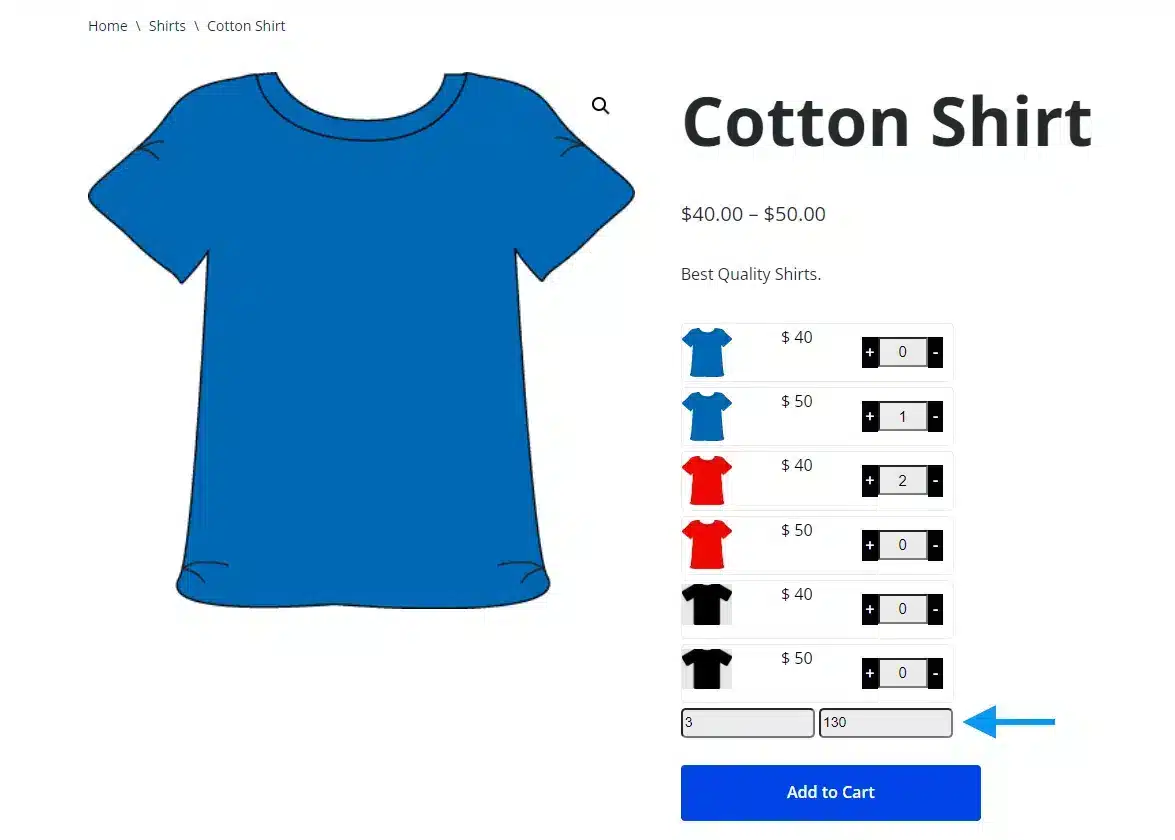
WooCommerce variations to cart lets shoppers pick multiple sizes/colors and add them in one go, without leaving the product page. It’s built for adding multiple variations to the cart in WooCommerce stores that want faster ordering.

Show all options in a WooCommerce variation table add to cart view, with prices and totals updating on-page. This creates a WooCommerce variation quick order flow where customers place WooCommerce one-click variation orders instead of clicking each variation.

Use it as a WooCommerce bulk order plugin for larger carts. Support WooCommerce bulk variations add to cart, apply role-based discounts, and let shoppers tweak quantities directly in the cart for smoother reorders.

Buy Now

WooCommerce Variations to Cart Plugin Features

1 Convenient shopping experience

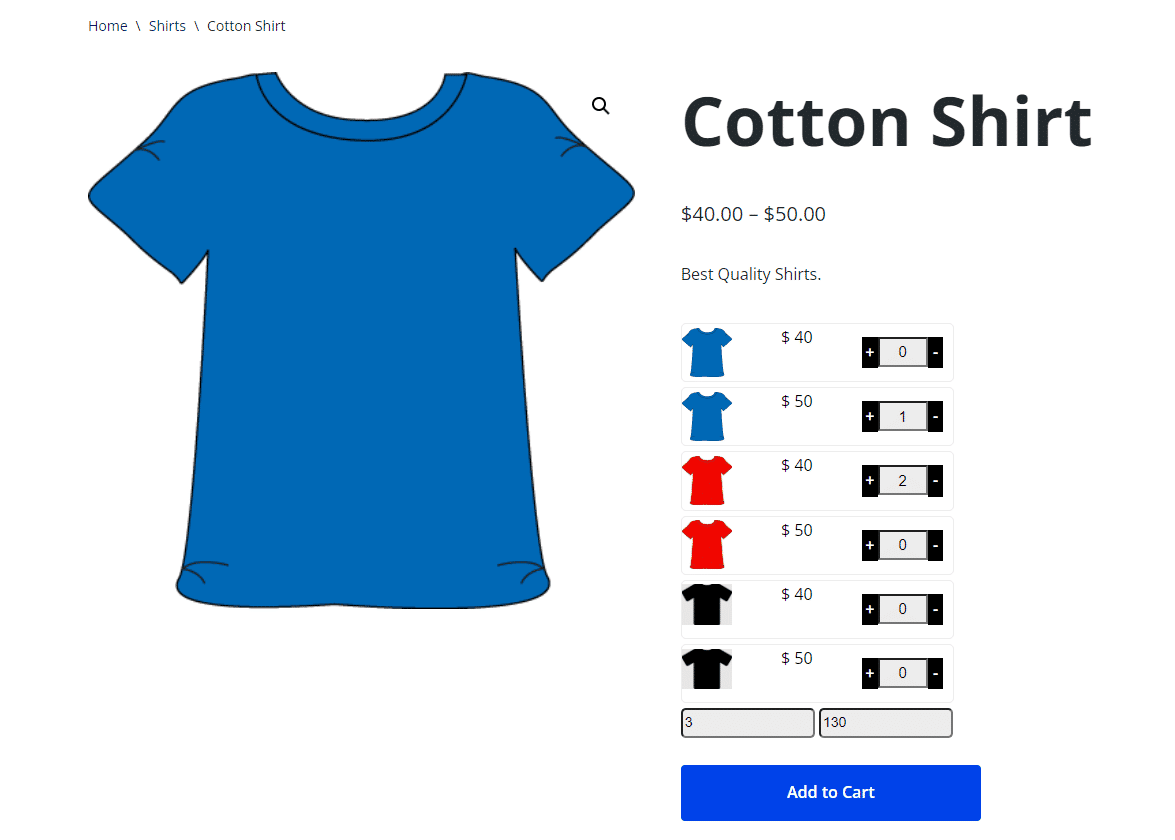
Allow your users to add different product variations to their cart without leaving the product pages, saving them time and effort.


2 Display all product variations

Users can see all of the variations information from their cart in a single view which makes the ordering process easier.


3 One-click orders

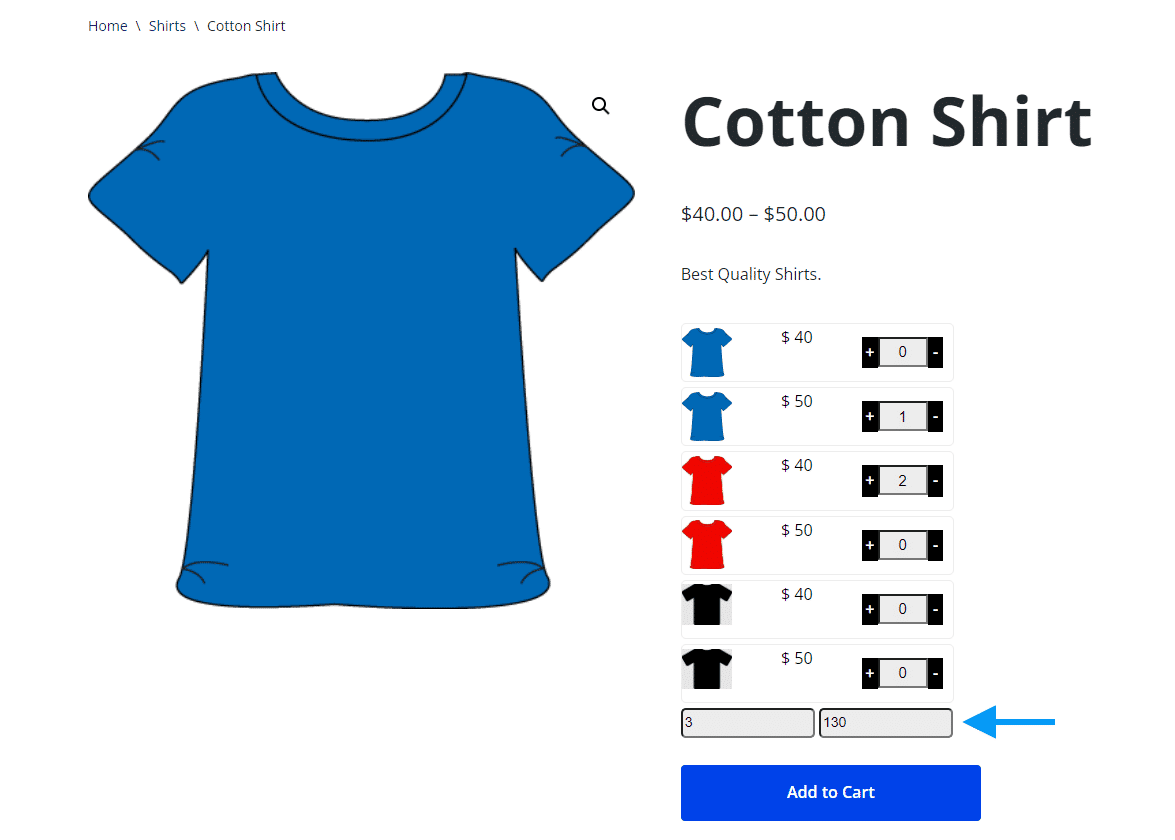
Users can order multiple variations with a single click and view the total number and price of their order directly on the product page.


4 Different Layout Style

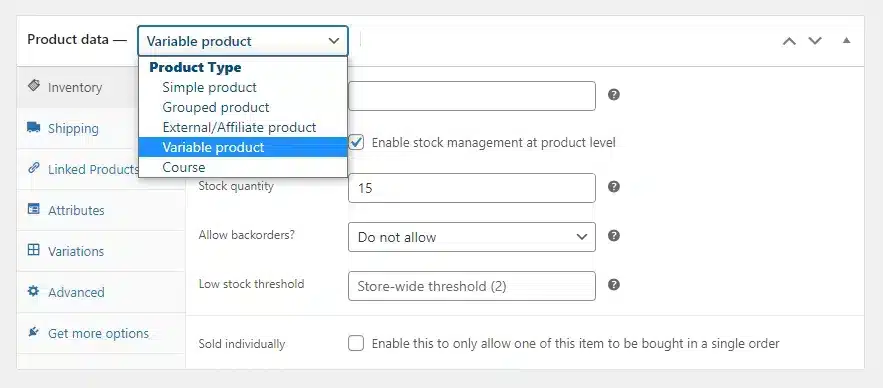
Easily choose the layout style for displaying product variations, allowing you to present variations in a way that best fits your store’s design and enhances the shopping experience.


5 Smart Role-Based Discounts And Cart Flexibility

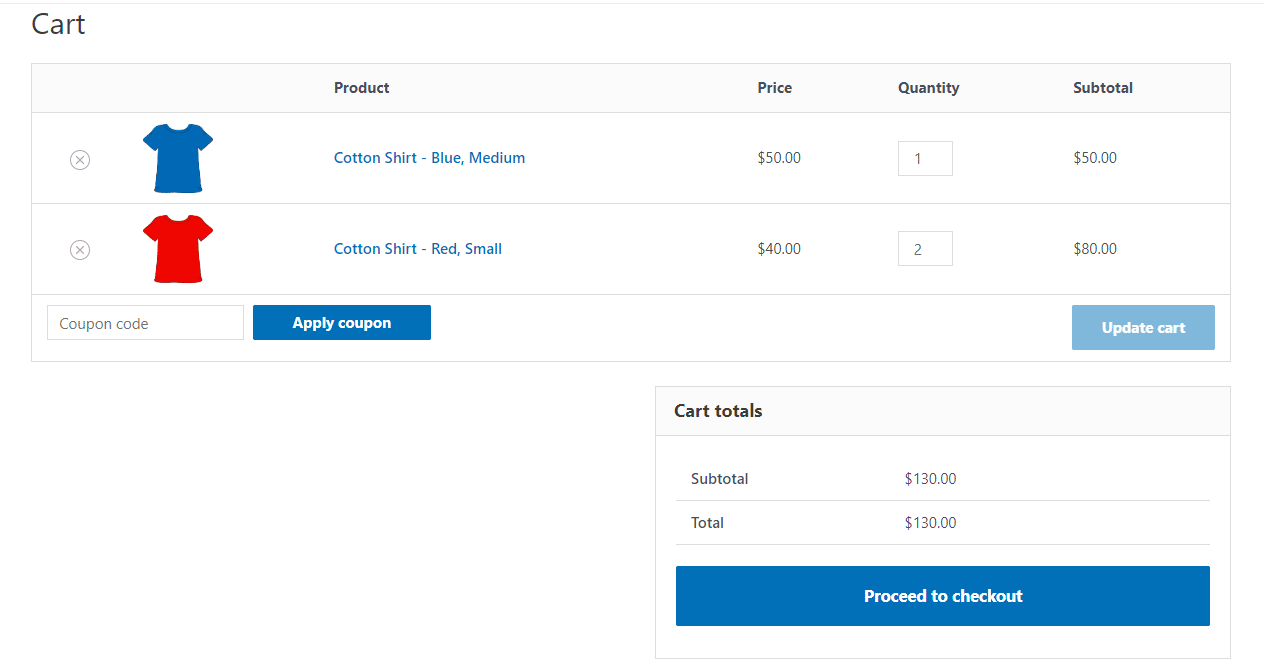
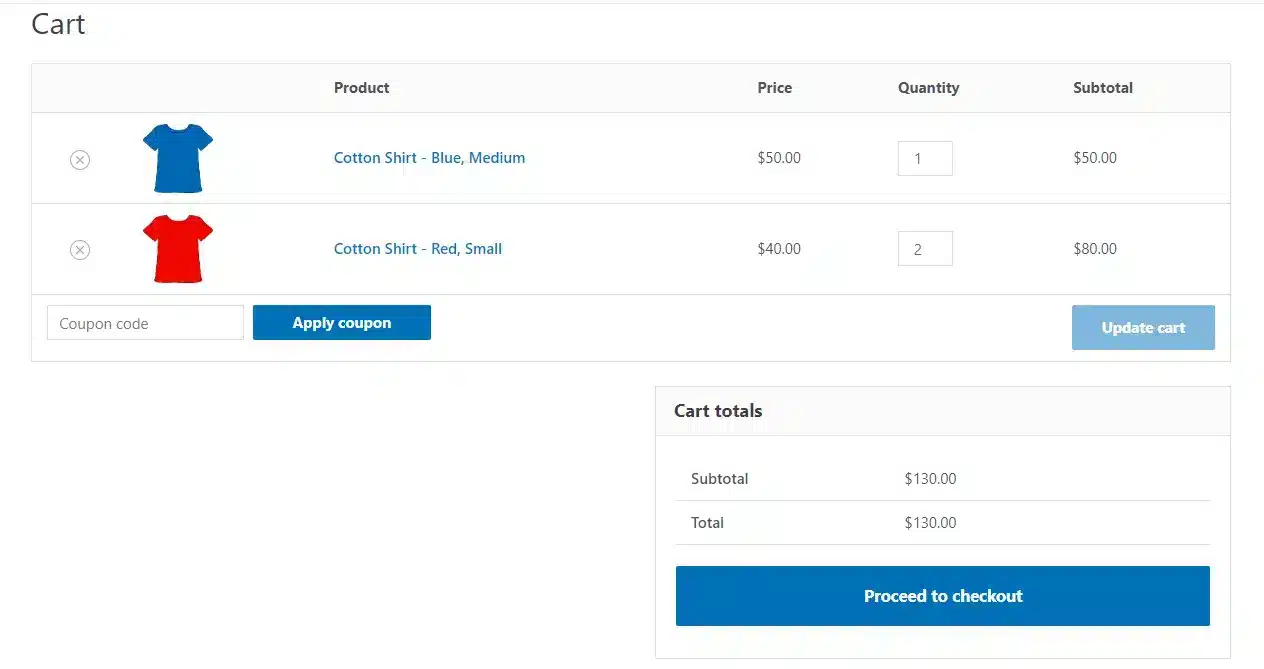
Offer targeted bulk discounts to specific user roles or make them available to all customers with ease. Let shoppers modify product variations directly from the cart and enjoy quantity-based pricing, creating a smoother buying experience and encouraging larger orders.


Our Add-Ons Are Used By
5000+ Happy Customers!

Get The Plugin Now!

Annual Lifetime
Single Site
$29.00/y

License for 1 site

1 year technical support & updates

Full documentation

Support forum

3 Sites
$49.00/y

License for 3 sites

1 year technical support & updates

Full documentation

Support forum

Unlimited Sites
$79.00/y

License for sites

1 year technical support & updates

Full documentation

Support forum

Are You interested In Full Access Pass?

Get Now

WooCommerce Variations to Cart Screenshots

Product Screenshot

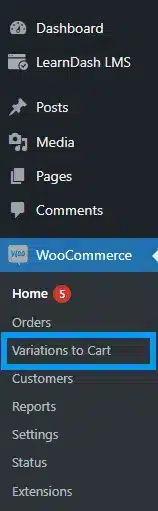
Convenient shopping experience

Product Screenshot

Display all product variations

Product Screenshot

One-click orders

Product Screenshot

Different Layout Style

Product Screenshot

Smart Role-Based Discounts And Cart Flexibility

What Our Happy
Customer Says

A terrific company with great plug-ins. I needed support for trying to figure out some functionality, and it went like all Support should go. I asked the question and I got a timely and thorough response. Keep up the good work everyone!

WooNinjas provided great customer service to me to solve an issue uploading quizzes into my website. They responded quickly and located and resolved the issue very well.

Great customer service, we had issues but the Wooninjas team didn’t give up and were very helpful in fixing my issue.

The plugins offered by the company are fantastic and their support team is the best, I have had the opportunity to use LearnDash Certificate Verify and Share and I am very satisfied with the results obtained. I highly recommend them.

Build Your Bundle & Save 20%

Pick any 3+ add-ons from the same category and get 20% off automatically at checkout. No coupons and extra steps required. Just choose the features you need and save instantly.

FAQ’s

We’re here to help.

Will it work with my current WooCommerce theme?+

Usually, yes. Since it extends variable product selection and add-to-cart behavior, it works with most standard WooCommerce themes. If your theme heavily customizes variation forms, the table layout may need quick styling tweaks.

Does it work on mobile and smaller screens?+

In most cases, yes. The add-on is designed to keep variation selection on the product page and reduce navigation. Your theme and chosen layout style can affect how it looks on mobile, so testing the layout style is a good idea.

Can I offer role-based discounts for specific customers?+

Yes. You can set role-based discounts for certain user roles or make bulk discounts available to everyone. This is useful for wholesale customers and helps increase order size.

Can customers edit variation quantities in the cart?+

 Yes. Shoppers can adjust quantities after adding items, which keeps the flow smooth for bulk orders. This pairs well with the WooCommerce bulk variations add to cart behavior.

Will it help with bulk ordering for repeat buyers?+

 Yes. It’s often used as a WooCommerce bulk order plugin because it makes reorders faster. Buyers can select quantities for several variations in one screen instead of repeating the same steps.

Can customers place one-click orders for multiple variations?+

 Yes. Once selections are made, they can add all chosen variations at once. That’s why many store owners describe it as WooCommerce one-click variations ordering.

Does it show prices and totals before adding to the cart?+

 Yes. Customers can see variation pricing and the running total on the product page while they pick quantities. This helps reduce mistakes and speeds up checkout.

Is it compatible with variable products?+

 Yes. It’s made for WooCommerce variable products, since it focuses on selecting variations and quantities on the product page. It turns the usual one-by-one selection into a WooCommerce variation quick order experience.

Can I customize the layout of variation selection?+

 Yes. You can choose different display styles for how variations appear, so the selection fits your product page design. Many stores use a WooCommerce variation table add to cart style for a cleaner “grid” view.

Can customers add multiple variations of the same product at once?+

 Yes. WooCommerce variations to cart lets shoppers select several variations (size/color combos) and add them together from the product page. This is the core add multiple variations to cart WooCommerce workflow.

Still have questions?

Contact us and we will clear up your doubts!

    Your Name

    Your Email

    How can we help you?


    *we usually respond within 24 hours.

    Haven't Found The Feature You're Looking For? Reach Out And We'll Be Happy To Advise!

    Scroll to Top