

Years In Business
Sites Built
Plugins Developed
Repeat Clients
Add-On Requirements
Current Version
Last Update
WordPress Version
WooCommerce Version
PHP Version
Control Order Limits & Prevent Invalid Purchases Automatically
WooCommerce Min Max Quantities helps wholesale and B2B stores control how customers place orders. You can set minimum and maximum order quantities to prevent very small purchases or bulk orders that exceed stock limits. It keeps store rules clear before customers reach checkout.
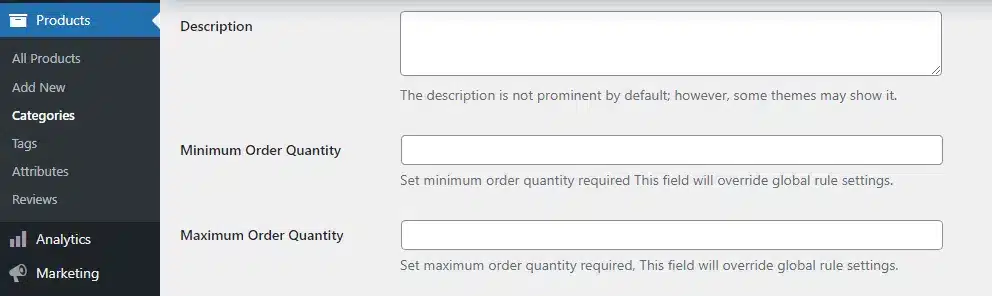
Restrictions can be applied by product category or set individually for specific products. You can also define minimum and maximum order value rules alongside quantity limits. If certain items should remain unrestricted, selected categories can be excluded from these rules.
The plugin also supports role-based exceptions, letting you remove limits for specific user roles. Clear frontend messages explain the requirements so customers understand the purchase rules.
WooCommerce Min Max Quantities Plugin Features
1 Minimum And Maximum Order Quantity
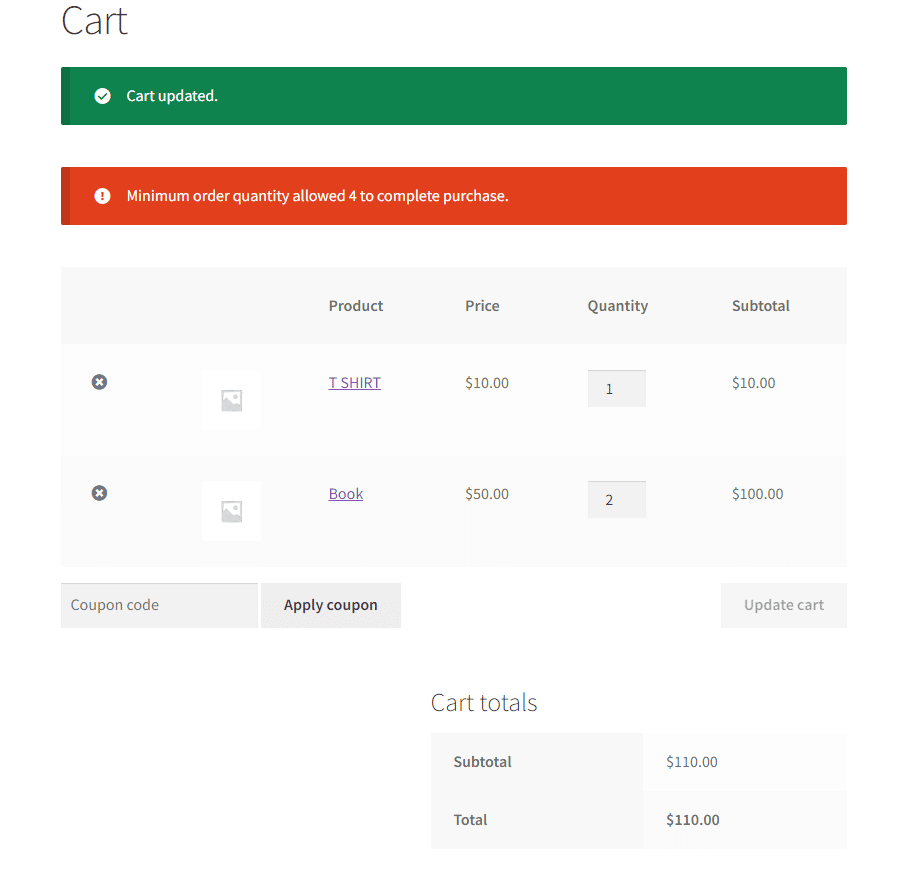
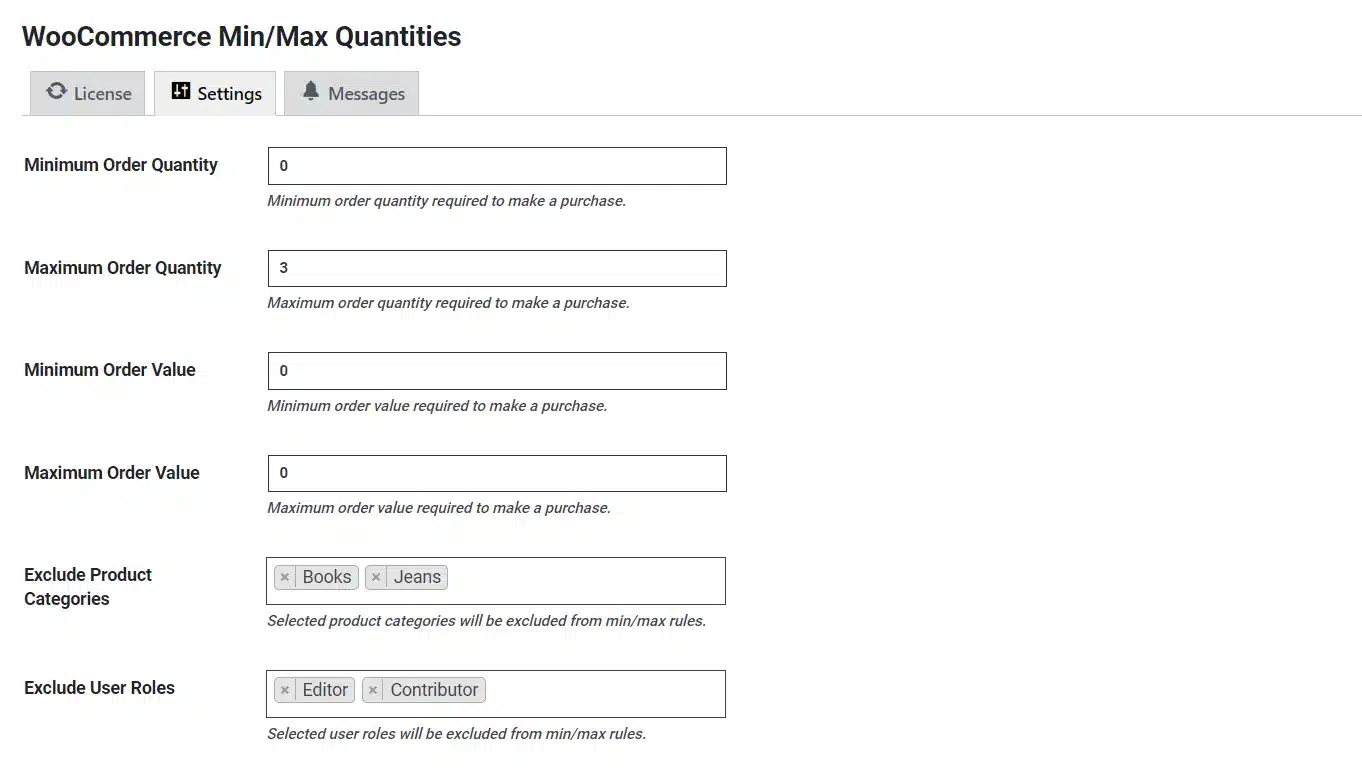
Set the minimum and maximum order quantity required for a customer to make a purchase on your online store.
2 Minimum And Maximum Order Value
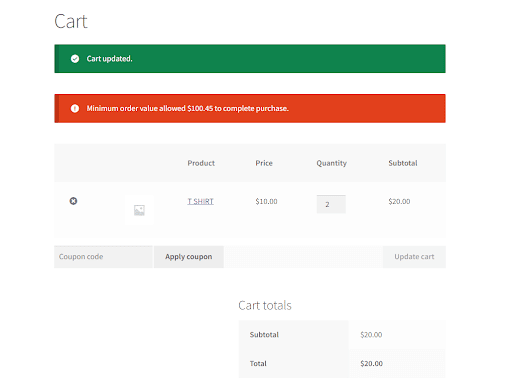
Set the minimum and maximum order value required for a customer to make a purchase.
3 Product Category-Based Order Requirements
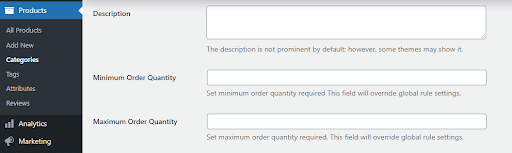
Set a fixed minimum and maximum purchase requirements for each product category on your online store.
4 Set Specific Purchase Requirements For Each Product
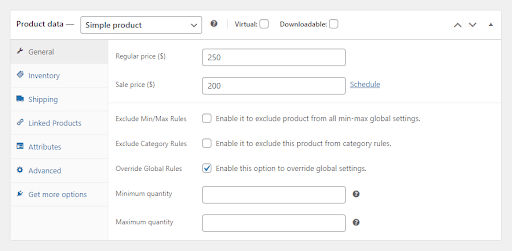
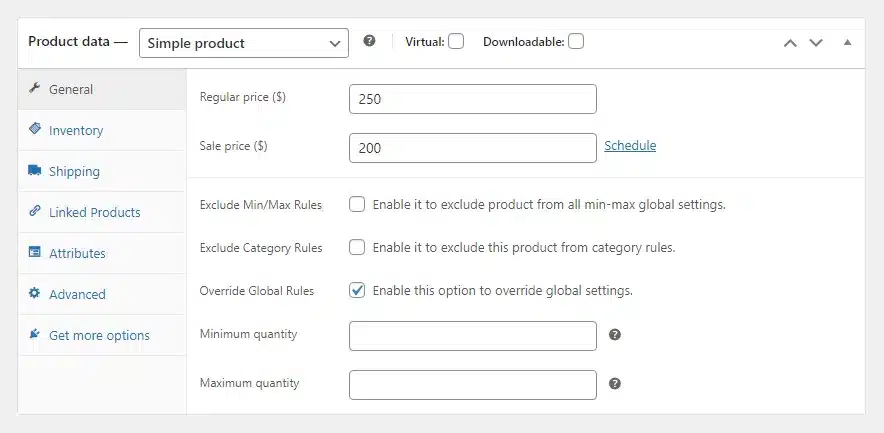
General restrictions don’t apply to all of your products? You can set a fixed minimum and maximum purchase requirements for each product on your online store.
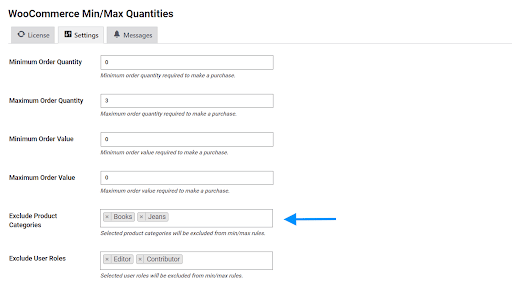
5 Exclude Product Categories From Order Restrictions
If you have non-wholesale items or other products that can be sold freely on your site, simply exclude them from the quantity and order value restrictions.
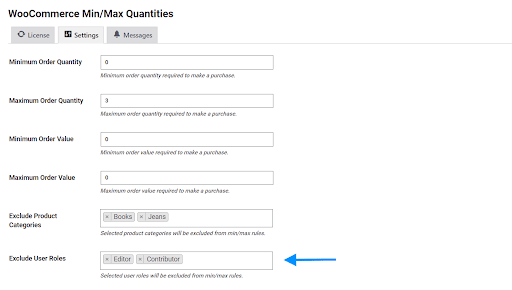
6 Exclude User Roles From Order Restrictions
Have a different relationship or arrangement with some of your customers? Don’t worry. You can exclude specific user roles from purchase restrictions.
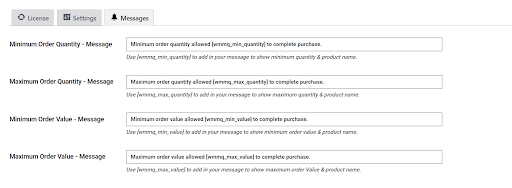
7 Inform Customers About Purchase Requirements
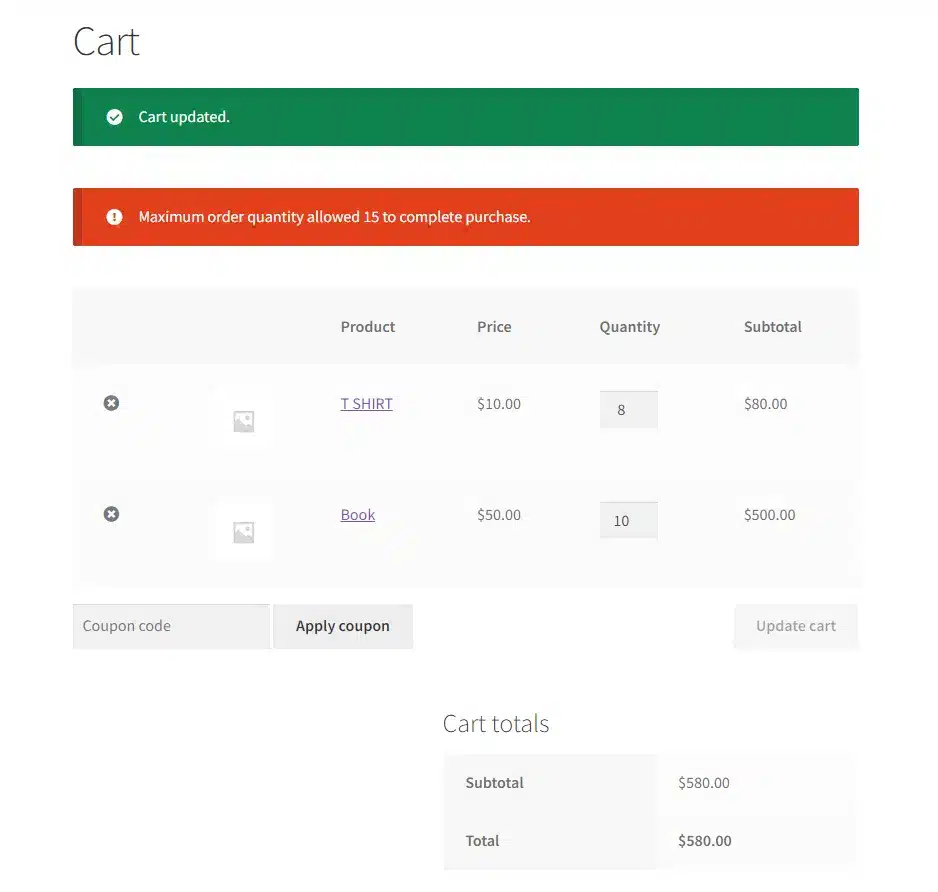
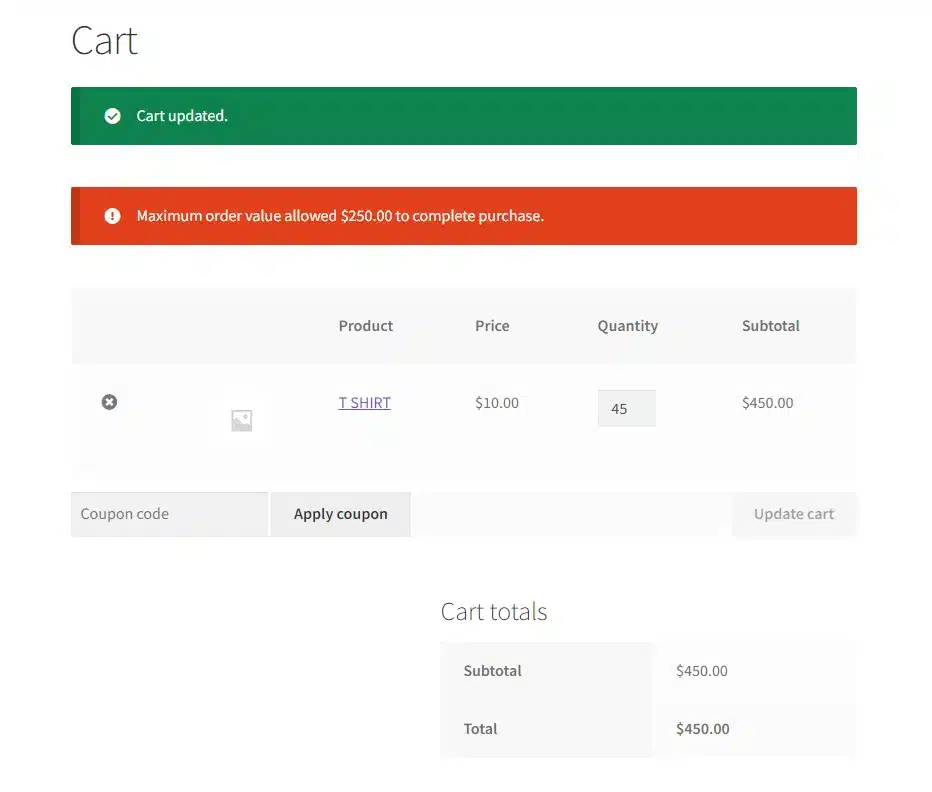
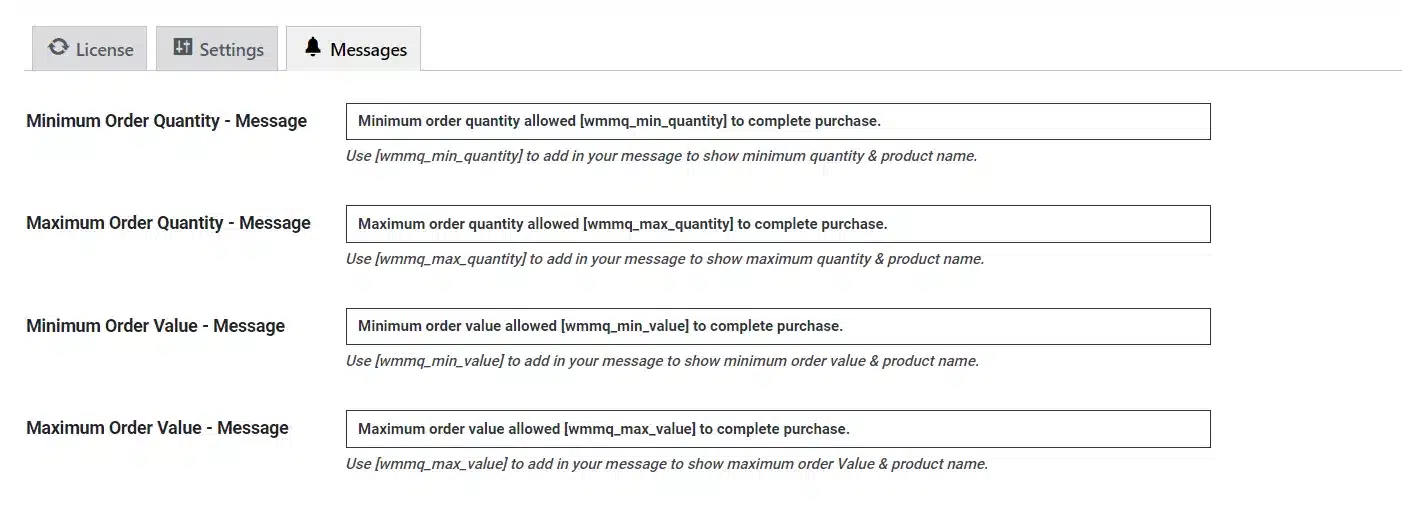
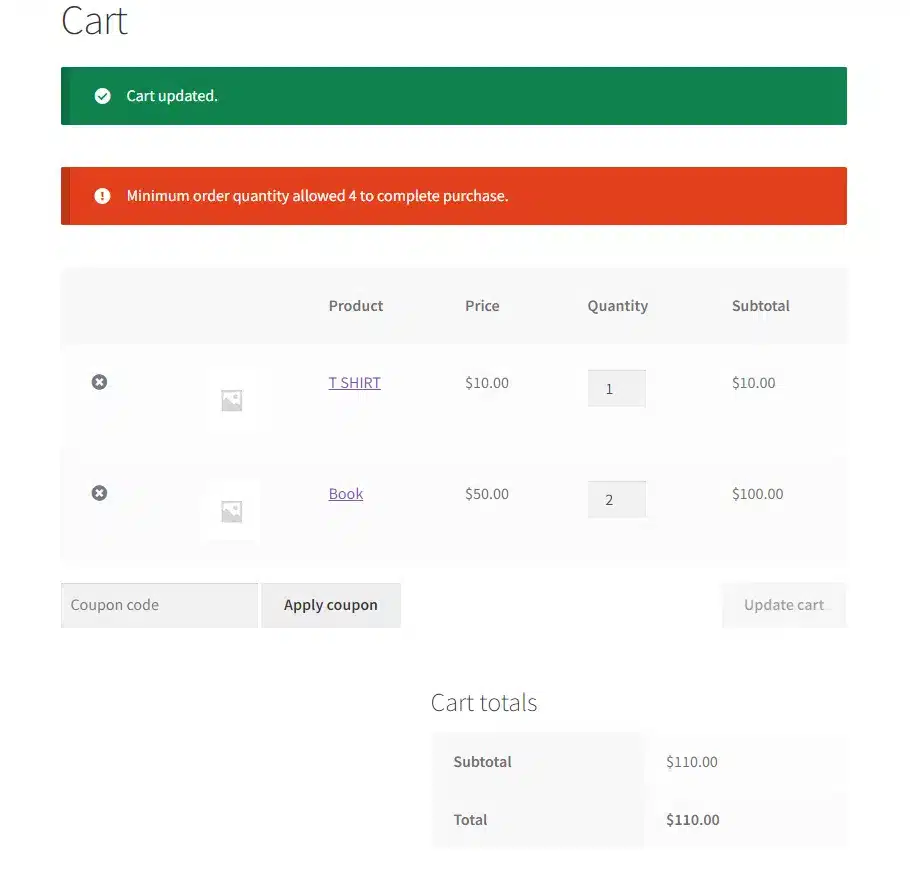
Messages informing customers about minimum and maximum order requirements will be displayed on the front end.
Get The Plugin Now!
License for 1 site
1 year technical support & updates
Full documentation
Support forum
License for 3 sites
1 year technical support & updates
Full documentation
Support forum
License for sites
1 year technical support & updates
Full documentation
Support forum
Are You interested In Full Access Pass?
Get NowWhat Our Happy
Customer Says
Build Your Bundle & Save 20%
Pick any 3+ add-ons from the same category and get 20% off automatically at checkout. No coupons and extra steps required. Just choose the features you need and save instantly.
FAQ’s
We’re here to help.
Yes. You can set category-based rules as a baseline and override with product-specific rules where needed. It’s a practical way to manage WooCommerce min-max quantities across a large catalog.
Yes. Wholesale orders often need a WooCommerce minimum order quantity and minimum order value to stay profitable. This add-on helps keep those rules consistent across products and categories.
Yes. The add-on shows messages on the front end explaining the minimum/maximum requirements. This reduces confusion and makes WooCommerce quantity control feel clear and predictable.
Yes. You can exempt selected roles from restrictions, which is common for staff accounts, VIP buyers, or special B2B customers. This makes it a flexible WooCommerce purchase limits plugin for mixed customer types.
Yes. If you sell retail items alongside wholesale items, you can exclude categories from the rules. That way, only the categories you choose follow WooCommerce min-max order rules.
Yes. Alongside quantity limits, you can set minimum and maximum order value rules. This is useful for wholesale stores that want to enforce a minimum cart total as part of WooCommerce order quantity and value rules.
Yes. You can apply WooCommerce min max quantities per product when general rules don’t fit everything in your catalog. This gives you product-level WooCommerce quantity restrictions for edge cases and special items.
In most cases, yes. Since this add-on focuses on cart and checkout rules, it usually works fine with standard WooCommerce themes. It’s designed to add WooCommerce quantity control without needing theme edits.
If a customer adds too few or too many items, the store will block the purchase until the cart meets the rule. The add-on shows front-end messages so customers understand the required WooCommerce minimum order quantity or WooCommerce maximum order quantity and can adjust before checkout.
Yes. You can set WooCommerce quantity restrictions at the product category level, including a minimum and maximum quantity for that category. This is ideal when different product groups need different WooCommerce min max order rules.
Still have questions?
Contact us and we will clear up your doubts!