The Complete Guide to Shopify Bulk Discounts That Actually Convert
Learn how to create profitable Shopify bulk discounts and volume bundles that boost AOV. Step-by-step setup guide for the best Shopify discounts app.
Have you ever visited a product page intending to buy one item, and ended up buying three or four? That’s the power of a well-placed bulk discount. The psychology is simple – people love feeling like they’re getting a deal. But here’s where many store owners hit a wall: Shopify’s native discount features barely scratch the surface of what’s possible with quantity-based pricing.
This guide shows you exactly how to create profitable Shopify bulk discounts and volume bundles using the Barn2 Bundles & Bulk Discounts app. Whether you want fixed-price bundles (“Buy 3 for $25”) or tiered pricing (“10+ items get 20% off”), you’ll learn everything from basic setup to advanced strategies that actually convert.
Why Your Shopify Store Needs Quantity-Based Discounts
Shopify bulk discounts are pricing strategies that reduce the per-unit cost when customers buy multiple items. These discounts encourage larger purchases by offering better value at higher quantities.
Think about it – when a customer lands on your product page intending to buy one t-shirt for $20, and they see they can get three for $50, the math becomes irresistible. That’s an instant boost from a $20 order to a $50 order. This works across every industry, from fashion to food supplements to office supplies.
The impact on average order value can be dramatic. Stores regularly see their AOV jump from $45 to $78 within two weeks of implementing Shopify volume discounts. Beauty industry retailers increase their repeat purchase rate by 35% simply by offering tiered discounts on consumable products.
Here’s what makes quantity discounts so powerful: they tap into multiple psychological triggers simultaneously:
- Fear of missing out on savings
- Practical stocking up on items they’ll need eventually
- Perceived value increase from getting a “smart” deal
- Justification for spending more (“I’m actually saving money”)
Real-world examples prove this works. A pet supply store offering “Buy 2 bags of dog food, get 15% off” sees consistent bulk purchases. A coffee roaster with “3 bags for $40” bundles moves triple the inventory. An office supply company using tiered pricing (5-9 items: 10% off, 10+: 20% off) converts small business buyers into wholesale customers.
The Two Types of Shopify Volume Discounts That Drive Sales
Volume bundles and tiered bulk pricing are two distinct Shopify quantity discount strategies. Volume bundles offer fixed quantities at set prices, while tiered pricing provides graduated discounts based on quantity purchased.
Let’s break down each type with examples that work.
Volume Bundles

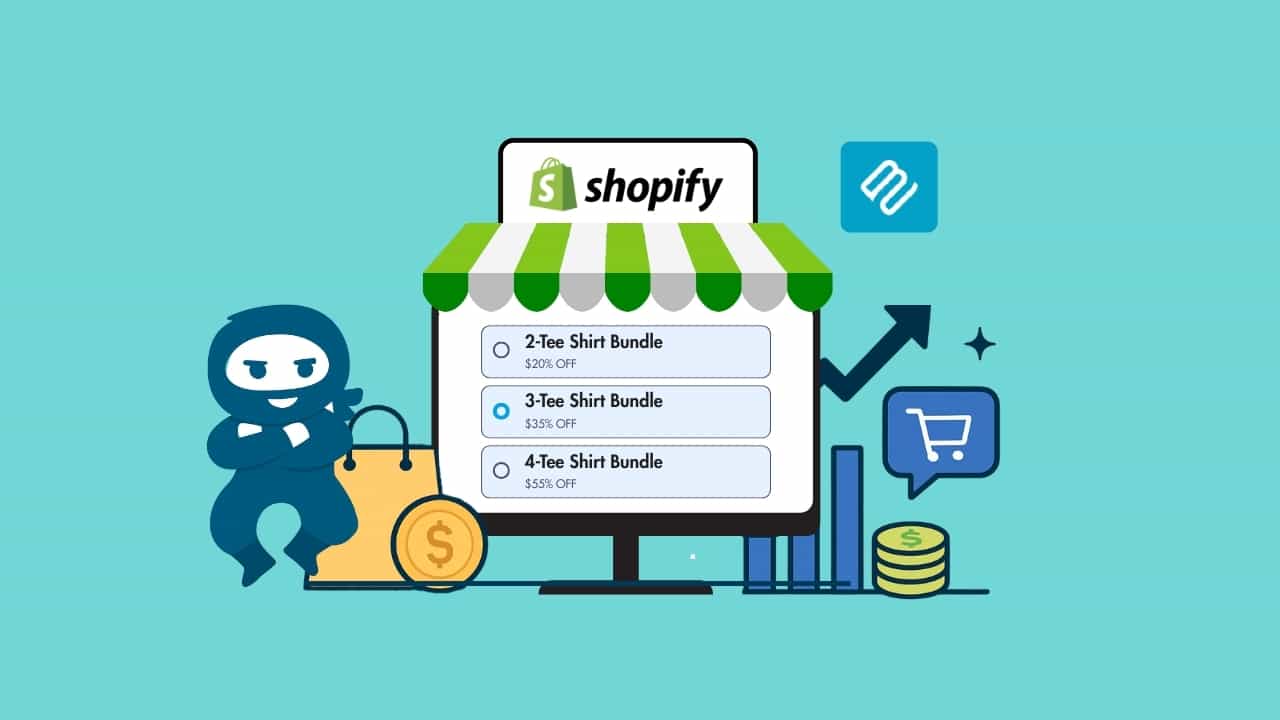
Volume bundles present specific quantity options as clickable tiles on your product page. Picture this on a sock retailer’s site: one pair for $10, three pairs for $25, or five pairs for $35. Customers click their preferred bundle, and it’s added to cart at that price.
This approach works brilliantly for:
- Products people naturally buy in multiples (underwear, socks, consumables)
- Gift items where customers might want several
- Products with variants (different colors or sizes)
- Items frequently given as presents
The beauty of volume bundles lies in their simplicity. There’s no math for customers to figure out. The savings are obvious. And psychologically, presenting three options often drives people to choose the middle one. A candle store might structure bundles at 1 for $30, 2 for $50, and 3 for $65. Statistics show that about 60% of customers choose the middle option, transforming average order values overnight.
Tiered Bulk Pricing
Tiered bulk pricing works differently. Instead of fixed bundles, you create discount levels that automatically apply based on the quantity in the cart. A supplement store might offer:
- 1-2 bottles: Full price
- 3-5 bottles: 10% off
- 6-9 bottles: 15% off
- 10+ bottles: 20% off
This strategy excels for B2B sales, wholesale operations, or any product where customers have varying quantity needs.
Tiered pricing becomes particularly effective when you display a pricing table on the product page. Customers can see exactly how much they’ll save at each level, which often nudges them to add “just one more” to reach the next discount tier. Craft supply retailers implementing this typically see their average items per order increase from 4 to 7.
Choose volume bundles when you want to guide customers toward specific quantities or when your products work well in predetermined sets. Use tiered pricing when you want maximum flexibility or when serving diverse customer types who need different quantities.
Shopify’s Native Discount Limitations (And Why They Matter)

Shopify’s built-in discount system has significant limitations that prevent effective bulk discount strategies. The platform restricts stores to 25 active automatic discounts and lacks true tiered pricing features
The main frustration with Shopify’s native discounts: they’re built for simplicity, not sophistication. Sure, you can create a basic “Buy X Get Y” discount, but you can’t display it prominently on product pages where it would actually influence buying decisions. Customers have to either remember a code or hope they qualify for an automatic discount at checkout – by then, you’ve missed the psychological moment when they’re most ready to increase their order size.
Key limitations that hurt conversions:
- 25-discount limit: Running Black Friday Shopify bulk discounts across multiple product lines means hitting that ceiling fast. Fashion retailers often have to manually rotate discounts throughout the day.
- No pricing tables: You can’t show a clear breakdown of savings at different quantity levels. Testing shows stores with visible pricing tables see 40% more bulk orders than those relying on discount codes alone.
- Limited targeting options: You can apply discounts to collections or specific products, but you can’t exclude certain items, set different tiers for different customer groups, or create complex conditional logic.
- No advanced scheduling: You can’t schedule multiple discounts in advance or set priority rules when discounts might overlap, risking unprofitable discount combinations.
- Poor visibility: Discounts aren’t displayed where customers make buying decisions – on the product page itself.
A B2B store wanting to offer wholesale pricing to some customers while maintaining retail pricing for others faces constant challenges managing that with native Shopify tools.
Step-by-Step: Setting Up Barn2 Bundles & Bulk Discounts

Installing the Barn2 Shopify discounts app takes less than five minutes. Navigate to the Shopify App Store, search for Barn2 Bundles & Bulk Discounts, and click install to begin setup.
Once installed, you’ll land in your Shopify admin with the Barn2 app ready to configure. The interface is refreshingly straightforward – none of the overwhelming options found in some Shopify discount apps. You’ll see two main discount types to choose from: Volume Bundles and Bulk Pricing.
Creating Your First Volume Bundle
- Click ‘Create New Discount’ and select ‘Volume Bundle’
- Name it something memorable for your records (customers won’t see this)
- Build your bundle tiers
For a t-shirt store, you might set:
Looking for a Ready-Made Solution?
Explore our WordPress, WooCommerce, and LMS plugins built to extend functionality without custom development.
- 1 shirt at $25 (regular price)
- 2 shirts at $45 (saves $5)
- 3 shirts at $60 (saves $15)
The discount app lets you add labels to each tier. Use these strategically – mark your middle option as “Most Popular” or your highest tier as “Best Value”. Research shows these simple labels increase selection of those tiers by about 20%.
Choose whether to apply this bundle to:
- Specific products
- Entire collections
- Your whole store
- Specific markets
Spend some time experimenting with the display customization. You can:
- Adjust colors to match your theme
- Change layout from horizontal to vertical tiles
- Edit text that appears above the bundles
- Add custom headers like “Stock Up & Save!”
Setting Up Tiered Bulk Pricing
For Shopify bulk discounts with graduated tiers, select ‘Bulk Discount’ when creating a new discount. This works differently – instead of fixed bundles, you’re creating quantity breakpoints.
Add your tiers by clicking ‘Add Tier’. A supplement store might structure it like:
- 1-2 units: No discount
- 3-5 units: 10% off
- 6-9 units: 15% off
- 10+ units: 20% off
Toggle on ‘Show pricing table’ to display these tiers directly on product pages. This transparency drives larger orders – customers can see exactly what they’ll save by adding more items.
You can also customize the logic of how variants are handled. For example, if you’re selling a t-shirt in five colors, you can allow customers to mix and match to hit quantity thresholds. They could buy two red, two blue, and one white to qualify for the 5-unit discount tier.
Don’t forget to set your date ranges if running limited-time promotions. The scheduling feature means you can set up Black Friday Shopify volume discounts weeks in advance and they’ll automatically activate and deactivate on schedule.
Creating Bulk Discounts That Actually Convert: Advanced Strategies
Successful Shopify quantity discounts require strategic product selection and psychological pricing. Focus on items customers naturally buy in multiples or products with high margins that can support deeper discounts.
Choose the Right Products
Certain products practically sell themselves with bulk discounts:
- Consumables: Coffee, supplements, pet food, beauty products – anything customers regularly repurchase
- Products with variants: Items where customers want different colors, sizes, or styles
- Gift items: Products commonly bought for multiple recipients
- Office supplies: Items businesses need in quantity
- Seasonal products: Holiday decorations, school supplies, garden items
For example, skincare brand offering “Buy 3, Save 20%” on serums matches their customers’ three-month buying cycle perfectly while increasing immediate revenue. A sock retailer using “Mix & Match: 5 pairs for $35” might let customers choose different colors and patterns while hitting the bundle threshold.
Set Profitable Discount Tiers
Start conservatively – for instance, you might test 10-15% discounts before jumping to 25-30%. Your first tier should kick in at a quantity just above your current average order size. If customers typically buy 2 items, start your discount at 3 items. This ensures you’re genuinely increasing order values, not just discounting existing behavior.
- Make each jump meaningful but achievable
- Avoid huge leaps (3 to 10 items is too much)
- Try progressions like 3-5-8-12
- Each tier should feel within reach of the next
Over time, you can experiment to find the sweet spot for tier spacing. Just make sure you never offer such big discounts that the price goes below the minimum profit you would accept per item!
Leverage Buying Psychology with Labels and Highlights
Customers love labels to draw their attention to specific deals and convince them they’re getting an amazing price. Use the labels and highlights in the Shopify discount app to create powerful conversion tools:
- “Limited Time” creates urgency
- “Customer Favorite” provides social proof
- “Best Value” guides decision-making
- “Most Popular” leverages herd mentality
I recommend positioning your most profitable bundle as “Most Popular” to leverage social proof while protecting your margins.
Prevent Costly Conflicts
No merchant wants to accidentally take an unprofitable order due to multiple discounts accidentally being applied at once! The Barn2 Shopify discount app prevents this and lets you rank which discounts apply when multiple deals apply to the same product. Just drag and drop your discounts and the ones at the top will take precedence in case of conflict.
Set clear hierarchies – typically, bulk discounts should override smaller promotional codes but not vice versa.
Combine with Other Marketing Tactics
Don’t let your Shopify volume discounts exist in isolation. For best results, use them as aprt of a wider marketing strategy. This might include:
- Email campaigns announcing bulk deals
- Exit-intent popups highlighting bulk savings recover abandoning visitors
- Including bundle options in abandoned cart emails
- Featuring bulk deals in social media posts
- Adding bulk discount mentions to product descriptions
That way, you actively use your quantity pricing deals to attract new and existing customers – even before they land on the product page.
Start Profiting from Shopify Bulk Discounts!
Creating effective Shopify bulk discounts transforms your store from single-item sales to profitable multi-unit orders. The difference between Shopify’s basic discount features and a proper Shopify discounts app like Barn2 Bundles & Bulk Discounts is the difference between hoping customers buy more and strategically engineering larger purchases.
You now have everything needed to implement quantity-based pricing that actually converts. Start with one product or collection, test volume bundles against tiered pricing, and use the analytics to refine your approach. Most stores see results within the first week – increased average order values, more items per transaction, and customers who feel they’re getting great deals.
The math is simple: if your average order is currently $50 and just 30% of customers choose a bulk option that increases their purchase to $75, you’ve immediately boosted revenue by 15% without acquiring a single new customer. That’s the power of smart Shopify quantity discounts.
Ready to transform your single sales into bulk orders? Install Barn2 Bundles & Bulk Discounts from the Shopify App Store – it’s free for the first 50 merchants. Set up your first volume bundle today and watch your average order value climb.
Need Ongoing WordPress Maintenance & Support?
We handle updates, performance monitoring, security hardening, and technical fixes so your WordPress and WooCommerce site stays stable and secure.

Switching from Shopify to WordPress: Here’s the Complete Migration Guide
Move your store from Shopify to WordPress without losing products, customer data, orders, URLs, or SEO value. Follow the migration…
Read More...
The WooCommerce Maintenance Checklist: Everything You Need to Do in 2026
The complete WooCommerce maintenance checklist for 2026. Backups, updates, security, speed, and storefront tasks with a clear action plan.
Read More...
Can You Sell Services on WooCommerce? A 2026 Complete Guide
Learn how to sell services on WooCommerce with this easy guide. Start selling consultations and digital services today.
Read More...
