


LearnDash Multi Question Categories - Wooninjas - The WooCommerce Ninjas

LearnDash Multi-Question Categories Plugin

Stop building quizzes from scratch every time. Multi-Question Categories lets you tag questions by topic, difficulty, or subject, then automatically generate category-based or fully randomized quizzes in seconds. One question can belong to multiple categories, so your existing question bank works harder without any duplication.
5000+ Trusted Clients
$
14 DAYS Refund Policy
10+

Years In Business

700+

Sites Built

85+

Plugins Developed

76%

Repeat Clients

Add-On Requirements

1.5.4

Current Version

26 Mar 2026

Last Update

6.8 Or Higher

WordPress Version

4.20.0 Or Higher

LearnDash Version

7.4 Or Higher

PHP Version

Improve Quiz Organization and Randomization in LearnDash

The LearnDash Multi-Question Categories add-on helps you organize large question banks with ease. You can assign multiple categories to a single question and structure quizzes by topic, lesson, difficulty, or any system you follow. It’s designed for teams that want a clean quiz structure without spending hours tagging or rebuilding quizzes.

Once questions are categorized, you can automatically generate quizzes from selected categories or create category-based quizzes. Randomization also pulls questions from chosen categories to produce fresh attempts each time.

The add-on also simplifies quiz management by letting you preview questions quickly, manage categories in one place, and keep your growing question library organized.

Buy Now

LearnDash Multi-Question Categories Plugin Features

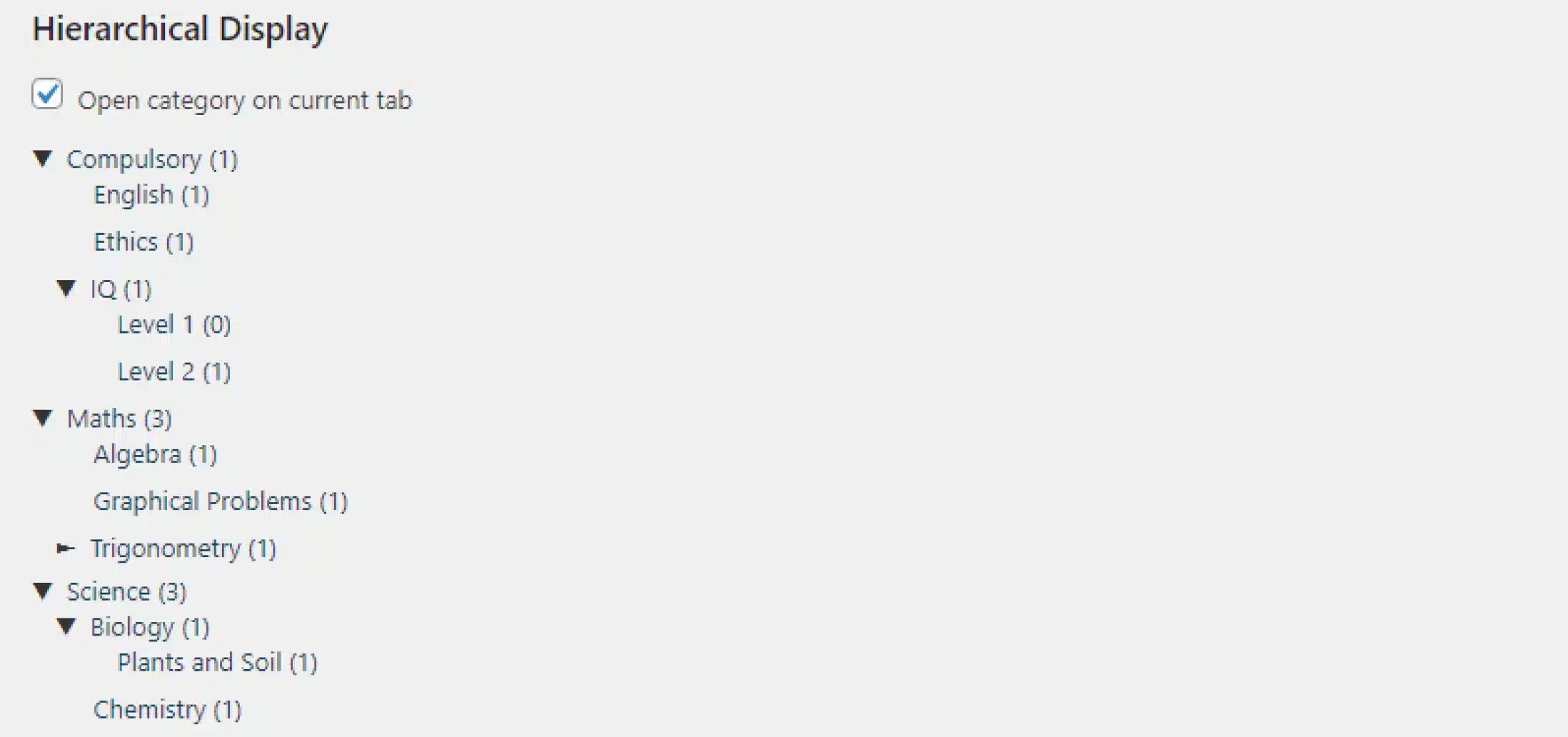
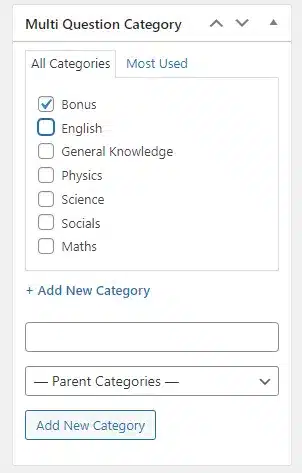
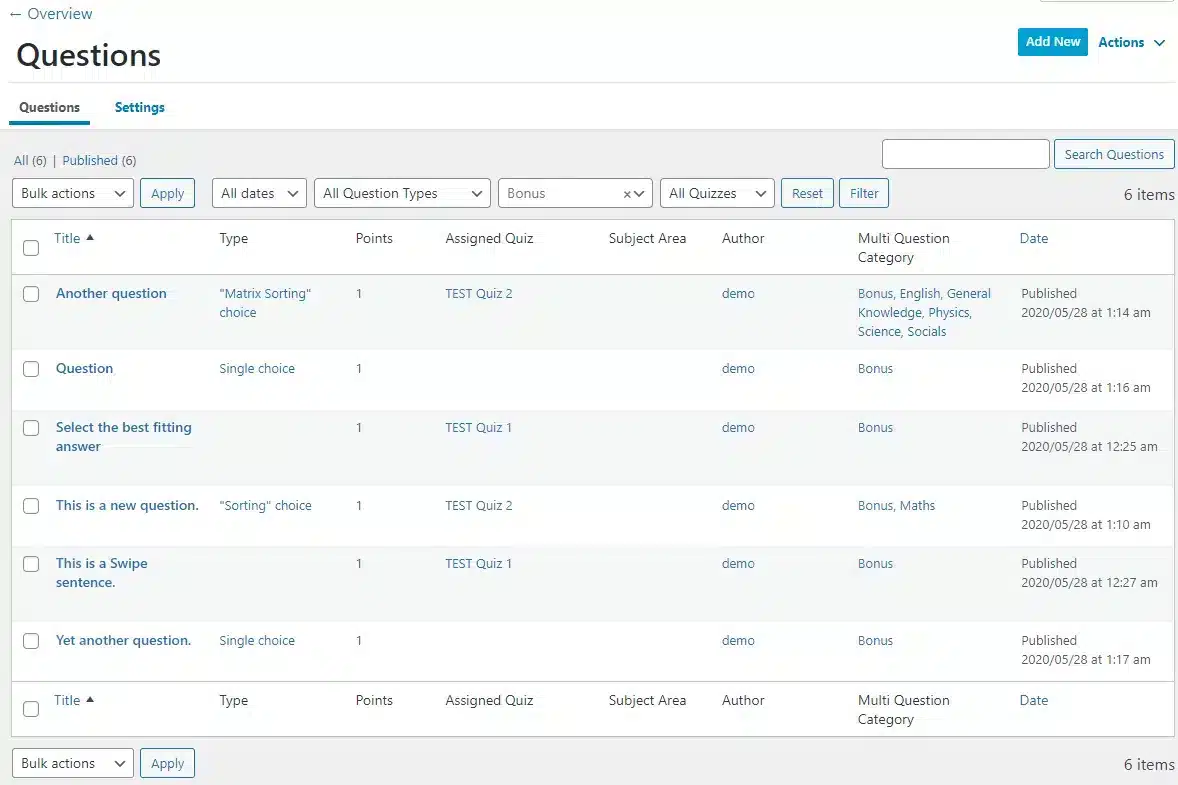
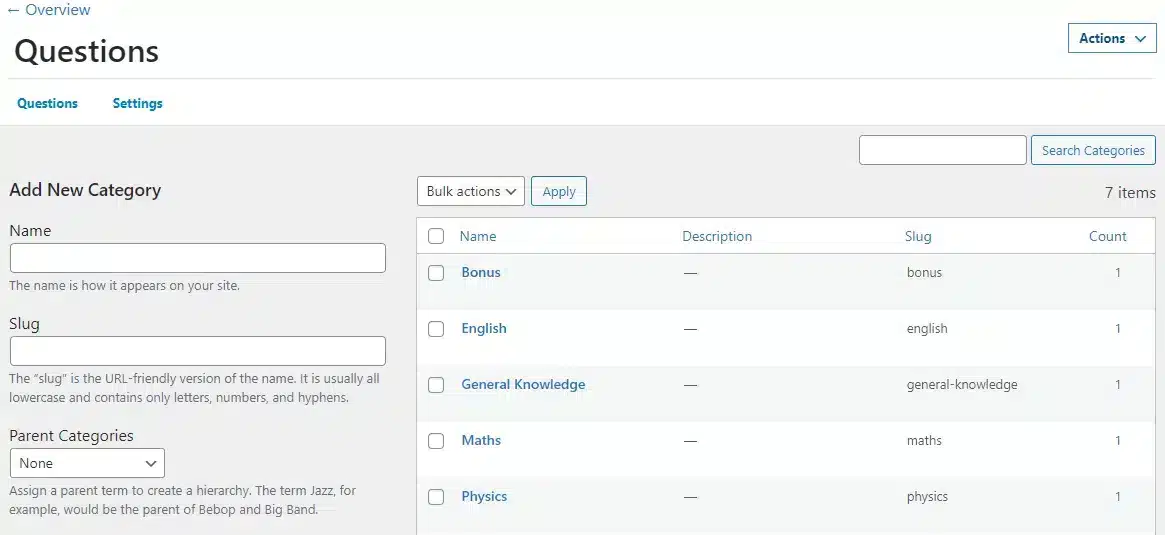
1 Add Categories To Your LearnDash Questions

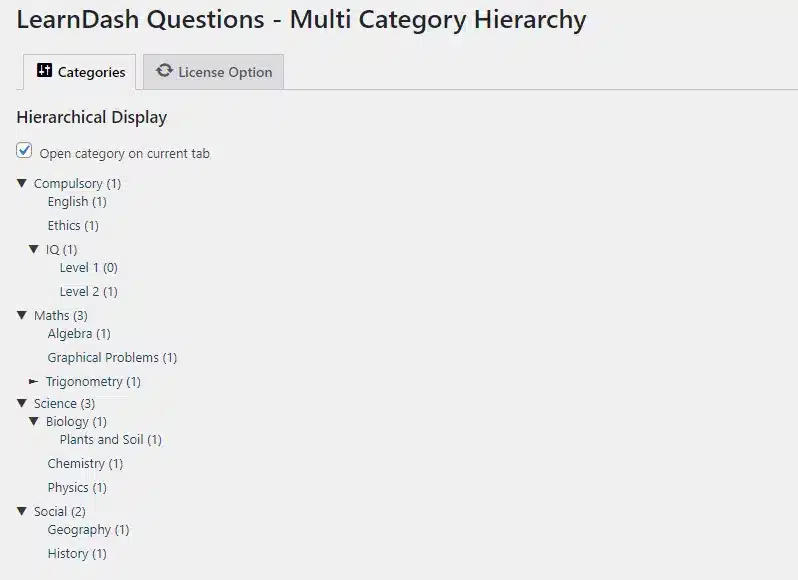
Organize your question bank by classifying quiz questions using several categories. Some categories you can use include course, lesson, difficulty level, question type, subject, topic, and more!

2 Create Quizzes Automatically

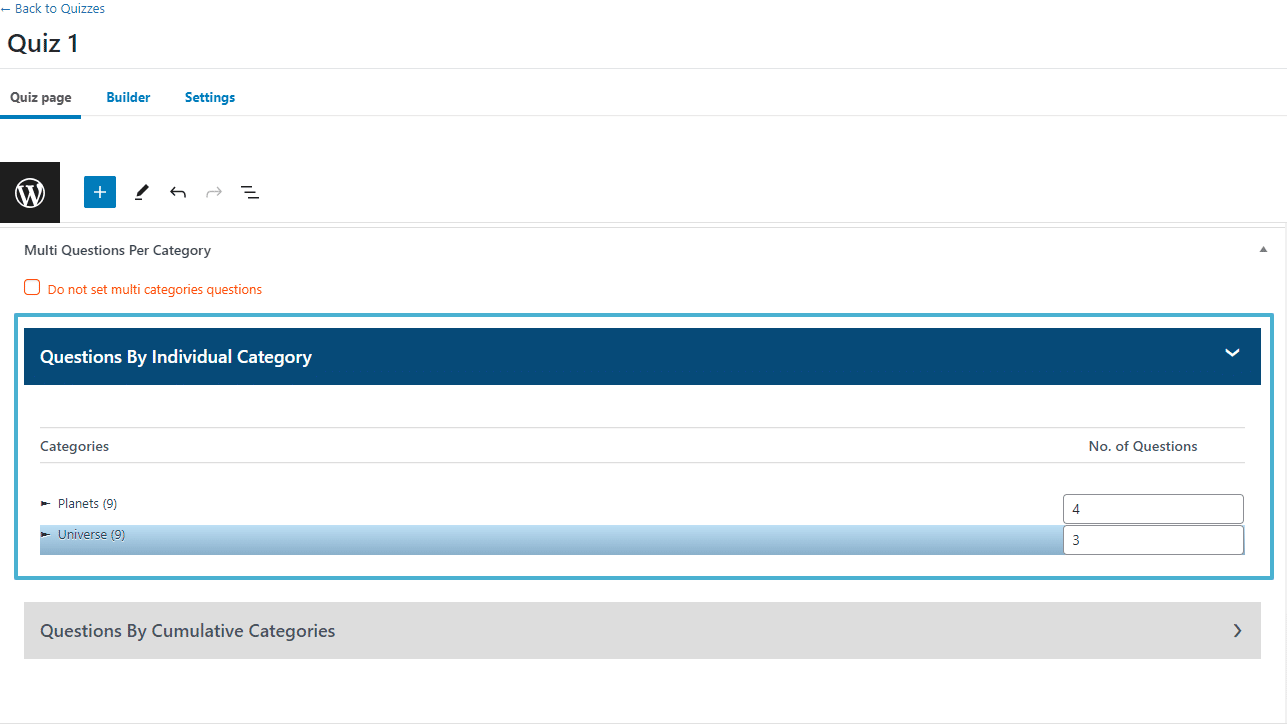
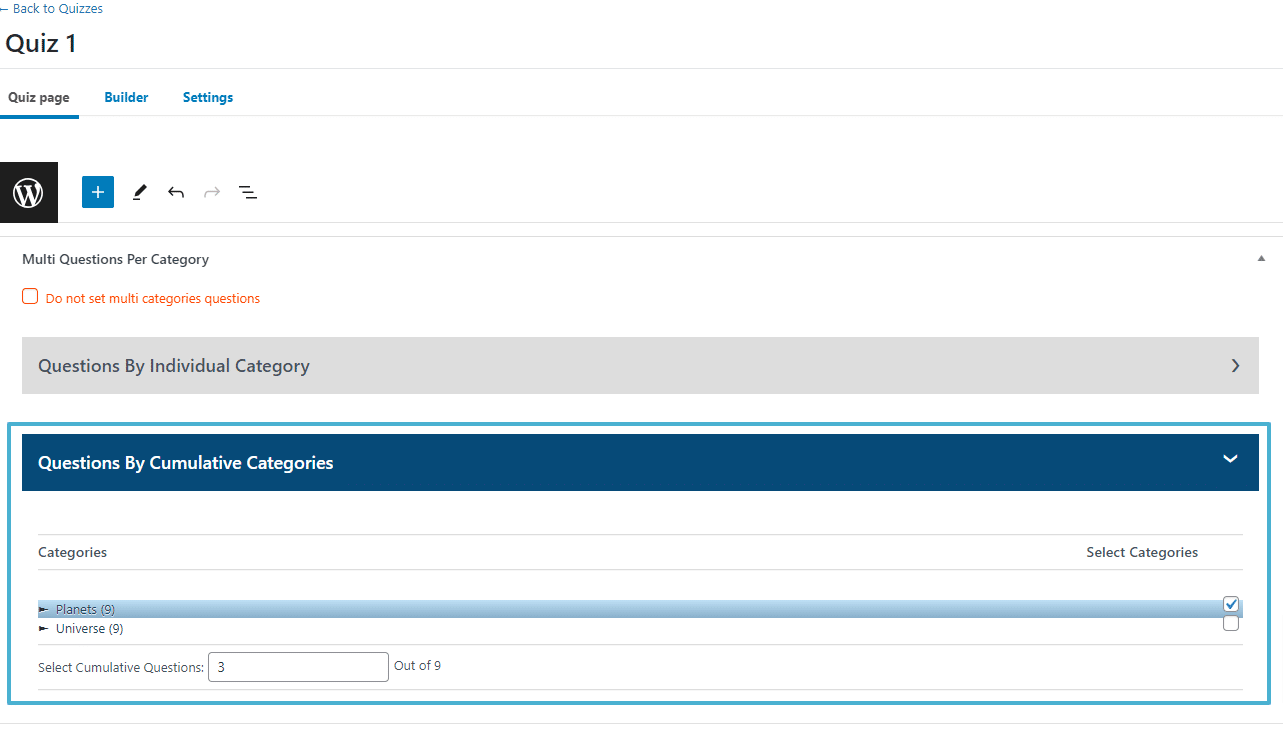
Use categories to automatically generate category-based randomized quizzes, reducing the quiz creation process to seconds. For example, you can automatically create quizzes drawing questions from specific topics, subjects, or difficulty levels.

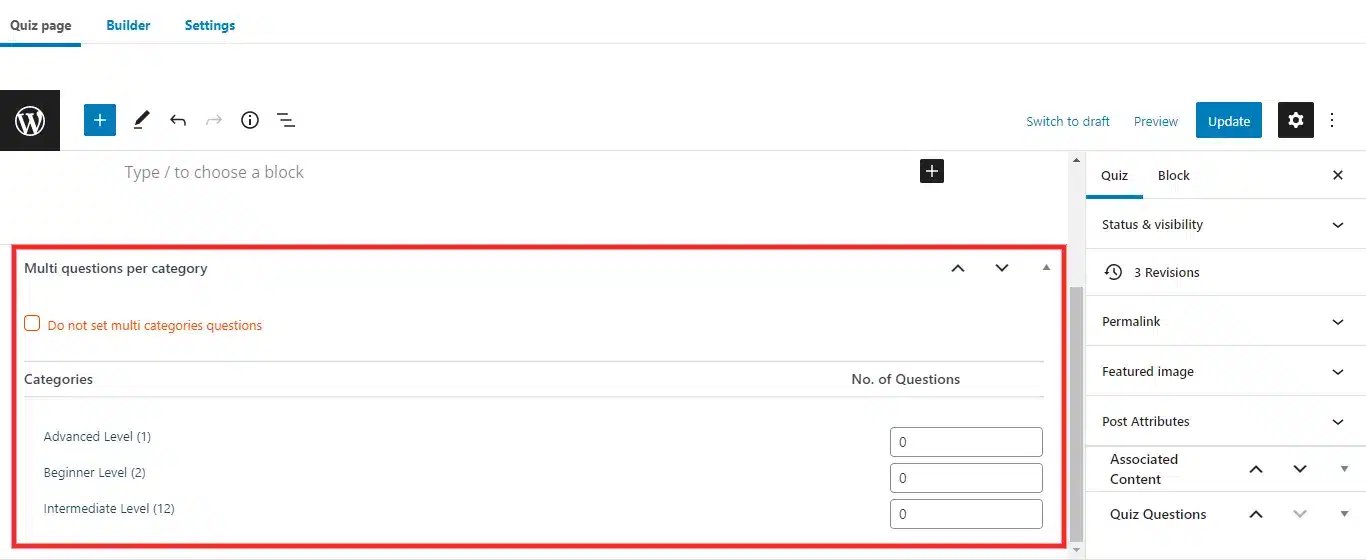
3 Generate Random Quizzes

Create randomized LearnDash quizzes in just a few clicks. You can choose to include questions from a set of categories in your quiz and choose how many questions per category will be added.

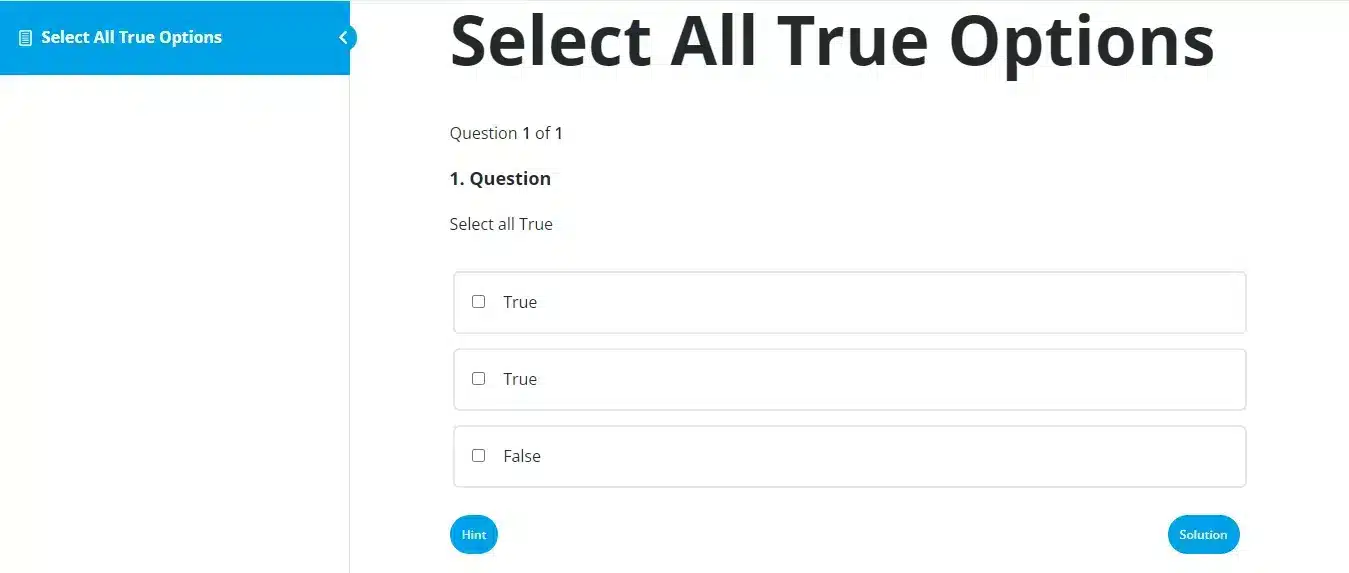
4 Efficiently Preview New Quiz Questions

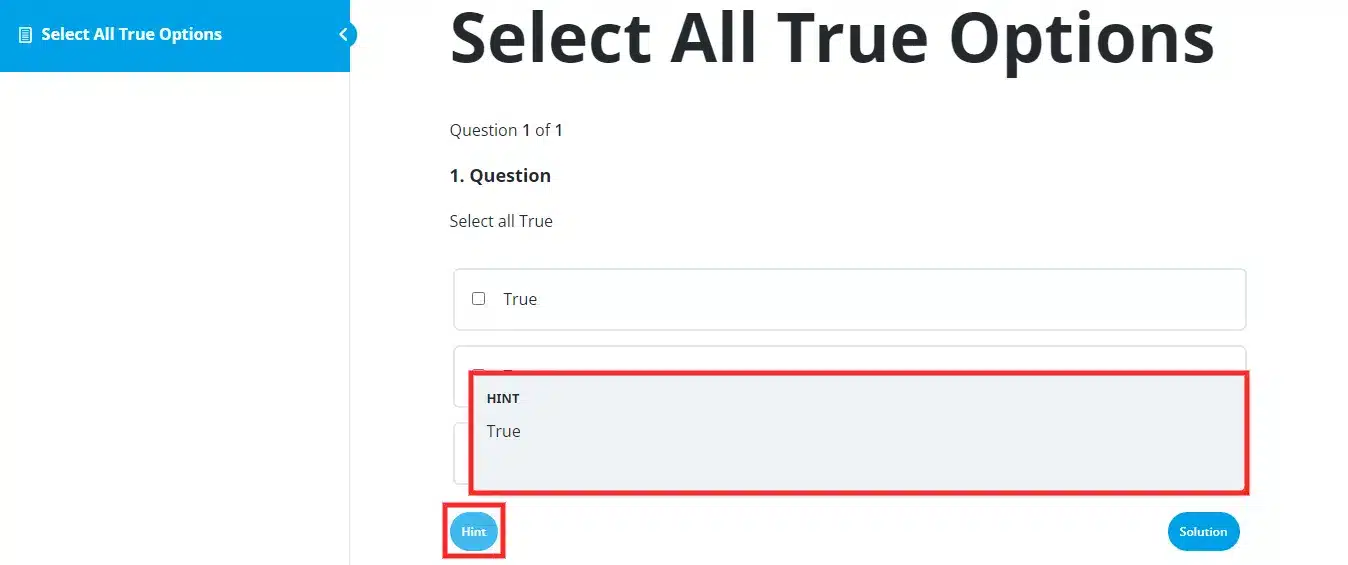
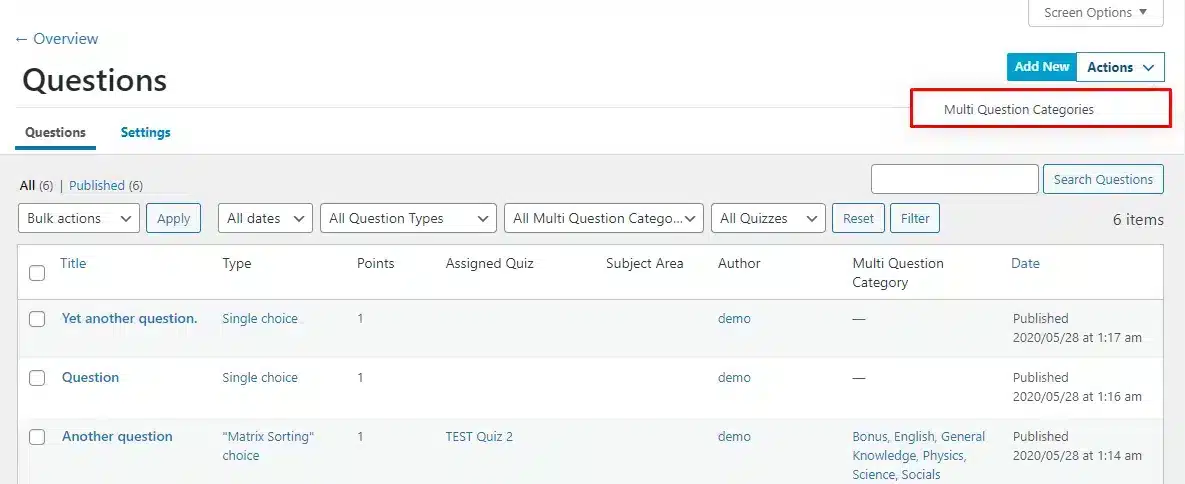
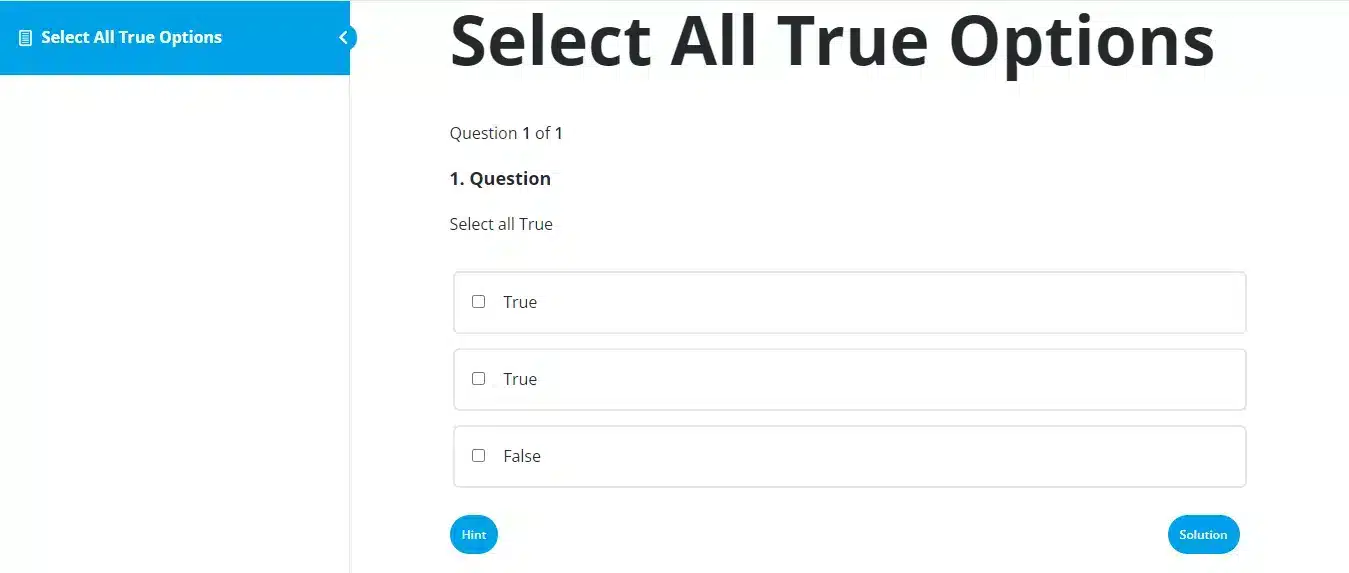
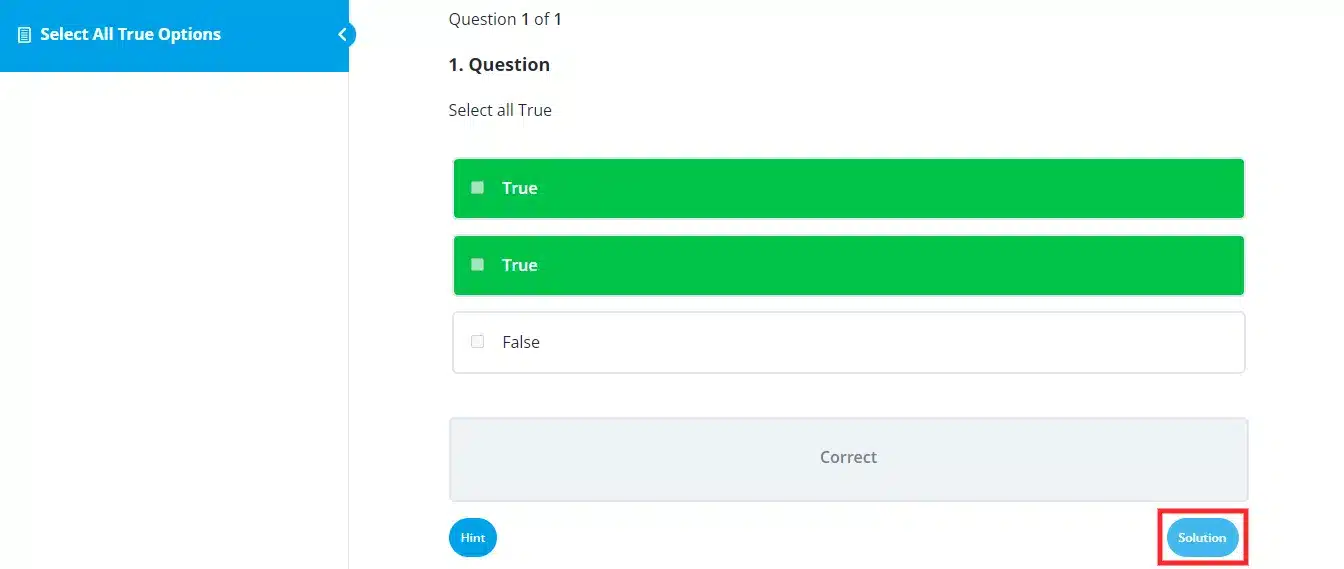
The add-on allows you to preview any given question directly, without having to attempt the entire quiz where the question is featured.

5 Randomize Quiz Questions from Question Categories

Craft engaging quizzes by incorporating randomized questions selected from designated question categories.

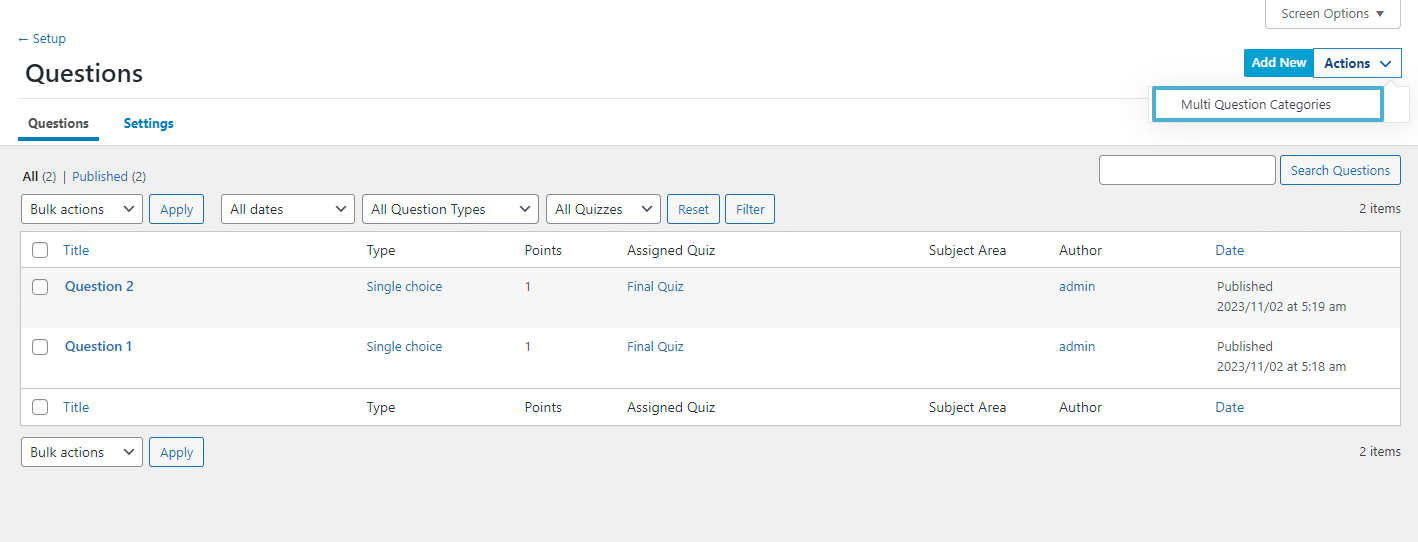
6 Intelligent Question Organization And Advanced Category Management

Create and manage unique question categories with ease, link questions with robust filters, and maintain flawless alignment with automated category mapping. You may simplify quiz organizing, save on manual labor, and easily maintain a tidy, organized learning environment with the help of the user-friendly settings and optional Auto-Sync.

Our Add-Ons Are Used By
5000+ Happy Customers!

Get The Plugin Now!

Annual Lifetime
Single Site
$79.00/y

License for 1 site

1 year technical support & updates

Full documentation

Support forum

3 Sites
$119.00/y

License for 3 sites

1 year technical support & updates

Full documentation

Support forum

Unlimited Sites
$199.00/y

License for Unlimited sites

1 year technical support & updates

Full documentation

Support forum

Bundle Offer
Starting From $209.00/y

LearnDash Multi Question Categories

LearnDash Advanced Quizzes

LearnDash Retake Quiz

Are You interested In Full Access Pass?

Get Now

LearnDash Multi Question Categories Screenshots

Product Screenshot

Add Categories To Your LearnDash Questions

Product Screenshot

Create Quizzes Automatically

Product Screenshot

Generate Random Quizzes

Product Screenshot

Efficiently Preview New Quiz Questions

Product Screenshot

Randomize Quiz Questions from Question Categories

Product Screenshot

Intelligent Question Organization And Advanced Category Management

What Our Happy
Customer Says

A terrific company with great plug-ins. I needed support for trying to figure out some functionality, and it went like all Support should go. I asked the question and I got a timely and thorough response. Keep up the good work everyone!

WooNinjas provided great customer service to me to solve an issue uploading quizzes into my website. They responded quickly and located and resolved the issue very well.

Great customer service, we had issues but the Wooninjas team didn’t give up and were very helpful in fixing my issue.

The plugins offered by the company are fantastic and their support team is the best, I have had the opportunity to use LearnDash Certificate Verify and Share and I am very satisfied with the results obtained. I highly recommend them.

Build Your Bundle & Save 20%

Pick any 3+ add-ons from the same category and get 20% off automatically at checkout. No coupons and extra steps required. Just choose the features you need and save instantly.

FAQ’s

We’re here to help.

Do I need to rebuild my quizzes to start using categories?+

No. You can start by categorizing your existing questions, then generate new quizzes from those categories when you want. You can keep current quizzes as-is and use the add-on for new category-based or randomized quizzes going forward.

Will this help with organizing a large question bank?+

Yes. It’s built for a cleaner structure when you have lots of questions across courses and topics. Using LearnDash quiz question categories makes it easier to find, reuse, and maintain questions without creating duplicates.

Can I preview questions without taking the full quiz?+

Yes. The add-on lets you preview individual questions directly from the question bank. That’s useful when you’re doing reviews, edits, or quick checks during LearnDash advanced quiz organization.

Can I choose how many questions to pull from each category?+

Yes. When generating a quiz, you can set the number of questions per category. It keeps the quiz balanced (for example, 5 from “Basics,” 5 from “Advanced”) while still supporting LearnDash random quizzes.

Can I create randomized quizzes from selected categories?+

Yes. You can build quizzes that pull LearnDash random questions from chosen categories. This is where LearnDash quiz randomization categories shine; learners get different questions each attempt, while you still control what topics show up.

Can I control category hierarchy and structure?+

Yes. You can create and manage your category structure in a way that matches your course library—topics, difficulty, lesson-based grouping, and more. This helps with LearnDash quiz category management when your question bank gets large.

Is this compatible with the LearnDash quiz builder?+

It works alongside your LearnDash setup, but the category-based quiz creation is handled through the add-on’s workflow. In other words, you can still use LearnDash normally, but the automated category/random quiz generation is done via the add-on.

Will this work with my existing LearnDash questions?+

Yes. You can use your current question bank, then start assigning categories to those questions. After that, you can use LearnDash categorize quiz questions and generate category-based quizzes or LearnDash random quizzes from what you already have.

Can I generate quizzes automatically using multiple categories?+

Yes. The LearnDash question categories plugin can create quizzes by pulling questions from selected LearnDash quiz question categories. You choose the categories, the number of questions per category, and the quiz can be created in seconds.

Can a LearnDash quiz question belong to multiple categories at once?+

Yes. With Learndash multi-question categories, a single question can be linked to more than one category. That makes it easy to reuse the same question across topics, lessons, difficulty levels, or question types without duplicating it.

Still have questions?

Contact us and we will clear up your doubts!

    Your Name

    Your Email

    How can we help you?


    *we usually respond within 24 hours.

    Haven't Found The Feature You're Looking For? Reach Out And We'll Be Happy To Advise!

    Scroll to Top